A retirement planner that shows its working
Glidepath is a free, open-source desktop app for planning retirement and investments, built UK-first. Every number in your plan is a fact you stated, a decision you made, or an assumption the app defaulted — always inspectable, never silently guessed.
All data stays local on your machine; nothing is transmitted.
Facts, decisions, assumptions
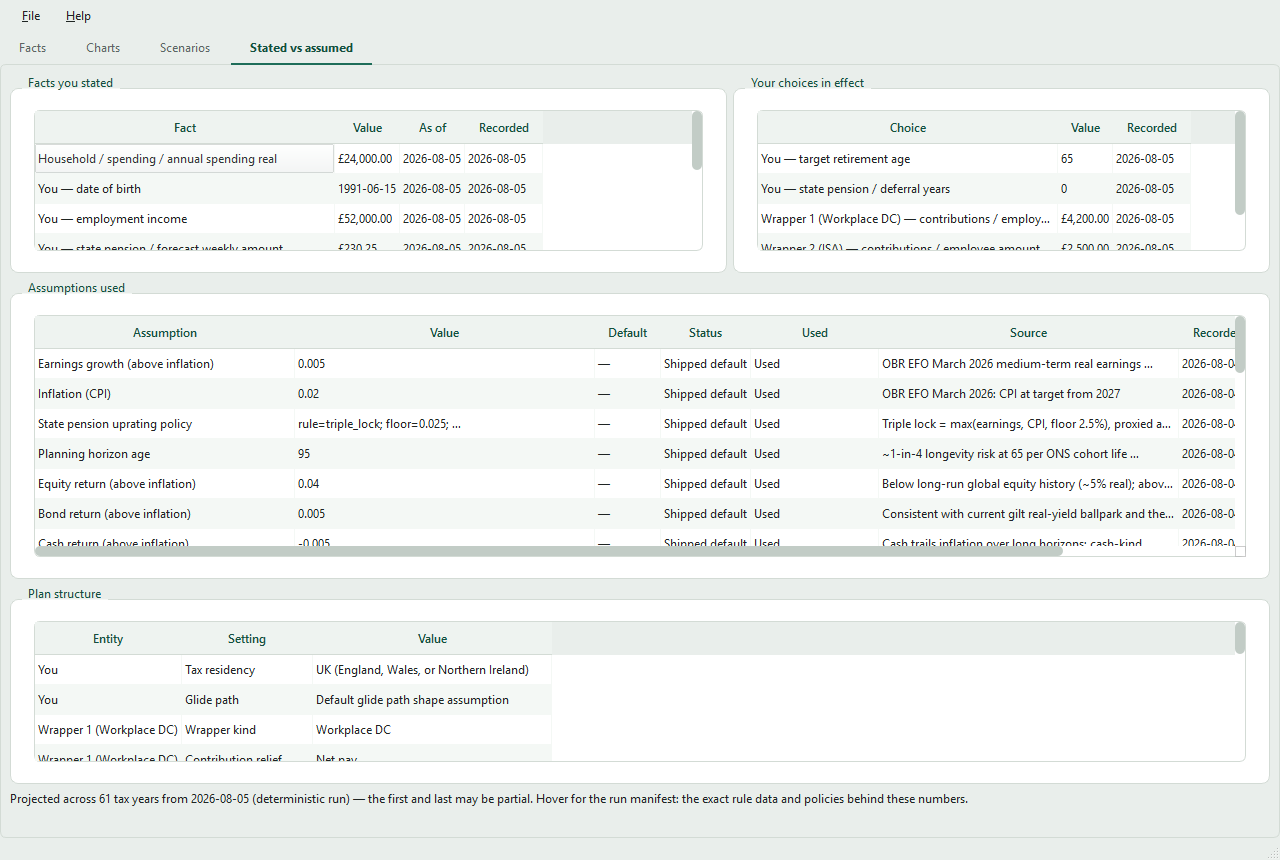
The core principle: you can always see where a number came from. A provenance view lists everything each projection used — with its value, source, date, and whether it was defaulted or overridden.
What you stated
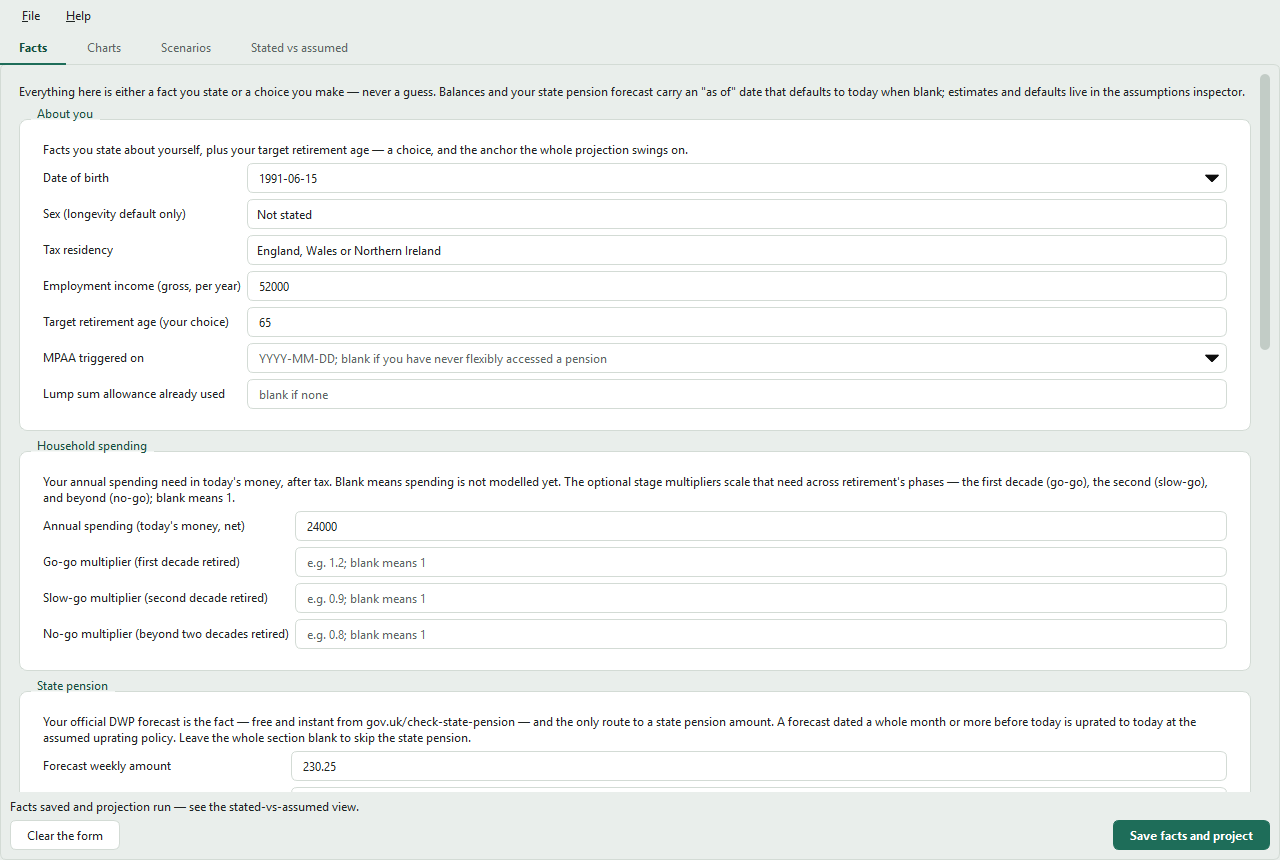
Your date of birth, salary, balances, pension forecasts. Entered by you, dated, and never altered by the app.
What you chose
Retirement age, contributions, planned outflows. The only fields a what-if scenario is allowed to override.
What was estimated
Returns, inflation, longevity, uprating policy. Each carries its value, source and date — and you can override any of them.
What it models
UK, single or couple, from verified 2026/27 tax-year data files — policy figures are never hardcoded.
Tax wrappers
Workplace DC, SIPP, S&S ISA, LISA, GIA and cash — with UK contribution-relief mechanics and dividend and savings taxation.
DB & state pension
Deferred or actively accruing CARE-style defined benefit pensions with revaluation, early/late factors and commutation; state pension from your official DWP forecast, including deferral.
UK tax, verified
rUK and Scottish income tax, pension annual allowance with taper and MPAA, and the lump-sum allowance — all from dated, sourced data files.
Couples
An optional partner, modelled end to end: pooled household decumulation with each person taxed individually, the marriage allowance, survivor modelling, and joint-life annuities.
Monte Carlo projection
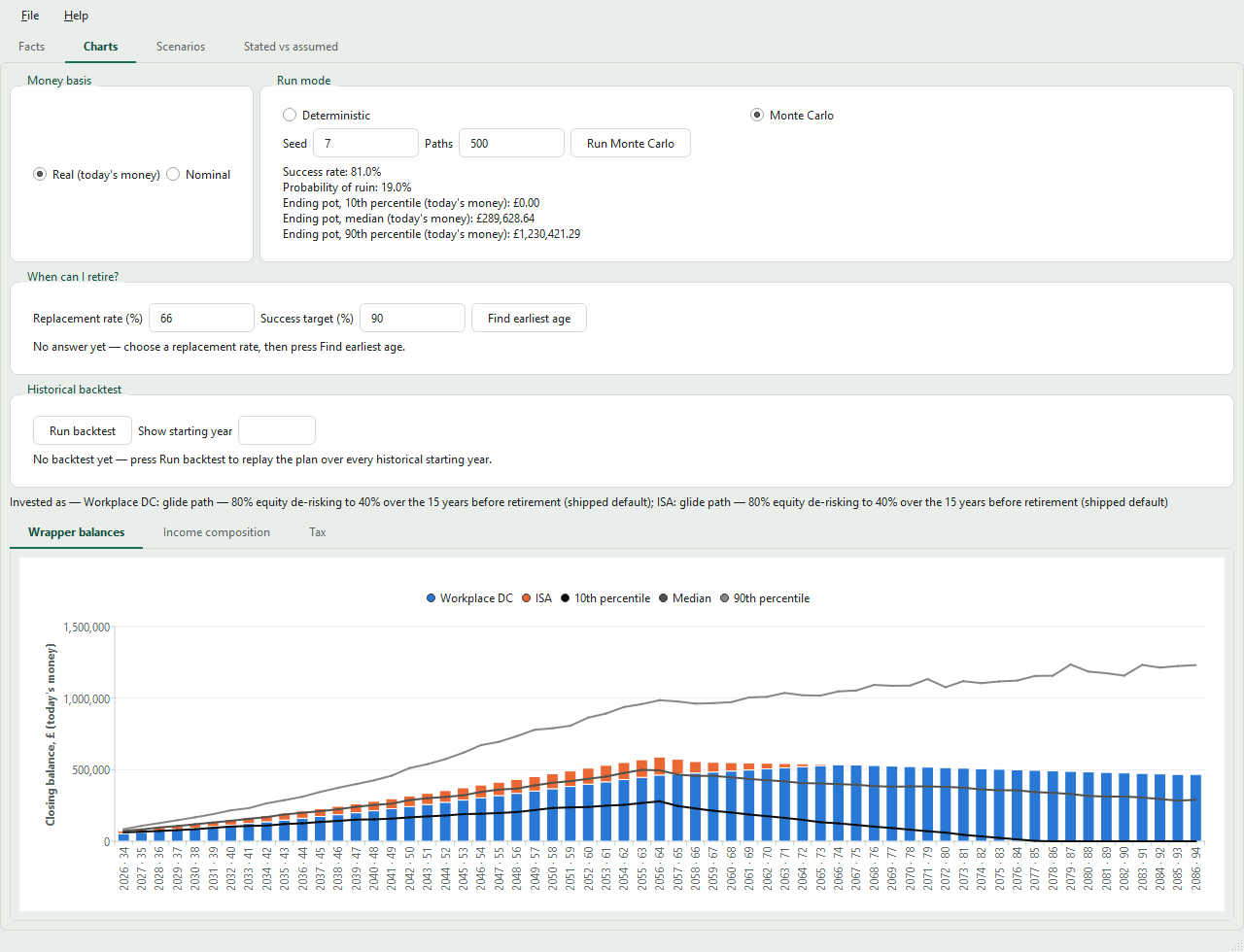
Deterministic or Monte Carlo runs: success rate, probability of ruin, ending-pot percentiles and a probability fan chart — reproducible from a seed, with a de-risking glide path and tax-aware decumulation.
“When can I retire?”
A solver for the earliest retirement age that sustains a target income — a replacement rate you choose, met deterministically or at a Monte Carlo success target.
Historical backtesting
Replays your plan over every rolling window of world market history since 1900 — sequence-of-returns risk that independent Monte Carlo draws miss.
Scenarios
Named what-ifs over your decisions and assumptions, compared side-by-side. Plans are saved as a local JSON file you own.
Local and private
A desktop app, not a web service. Your plan lives in a file wherever you choose, and nothing ever leaves your machine.
A closer look
All screenshots show example data, not anyone's real finances.
Get started
On Windows x64, download one file and run it. Python and terminal commands are not required.
Windows: download and run
Windows executables are available in releases from v1.1.0.
- Open the latest release and look under Assets.
- Download
glidepath-X.Y.Z-windows-x64.exe. - Keep it in a folder of your choice and double-click to launch.
The file is the app itself; there is no installation wizard. To upgrade, close Glidepath and download the newer executable. Your saved plans stay where you put them.
The app is not yet signed with a Windows publisher certificate. Windows may show “Windows protected your PC” or “unrecognised app”. Check that your download came from this repository’s release before deciding whether to proceed.
If the latest release has no .exe
yet, use the uv installation below.
Install with uv — Linux, macOS or Windows
uv installs Glidepath from PyPI and fetches the Python it needs. On macOS or Linux:
$ curl -LsSf https://astral.sh/uv/install.sh | shClose and reopen the terminal, then install and launch Glidepath:
$ uv tool install glidepath
$ glidepath
For Windows PowerShell commands and terminal setup, follow the
uv installation instructions.
Upgrade later with uv tool upgrade glidepath.
The getting-started guide
walks through what to gather, entering it, reading the projection,
and changing the assumptions behind it.
pipx install glidepath works too. Or run
straight from a checkout:
uv run glidepath installs the locked
dependencies on first run.
The app launches with an example plan already projected, so every tab has
something to show — replace its values with your own facts, or clear
the form and start blank. Save your plan from the File menu as a
.glidepath.json file stored wherever you
choose; the next launch reopens it automatically.